When hosting an online meeting, an external participant URL can be issued to collect information. An admin must enable the feature.
As this is a beta feature, it may be changed or discontinued without notice.
* Contacts added with this feature will receive Virtual Card emails. See here for details.
Contents
Conditions
Admin privileges are required to use this feature.
Steps
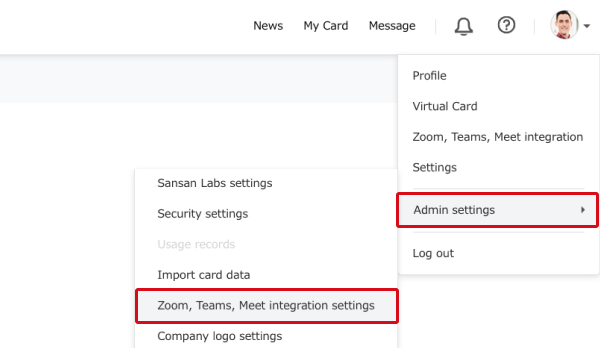
1. In Sansan, click on the user icon in the top right → "Admin settings" → "Zoom, Teams, Meet integration settings".
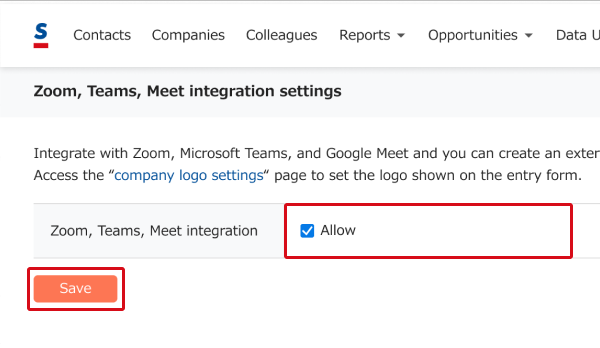
2. Put a check by "Allow" and click the "Save" button.
3. The company logo will appear on the entry form once it is set.
Setting the company logo image
Changing/deleting a company logo
Related pages
About Zoom, Teams, Meet integration