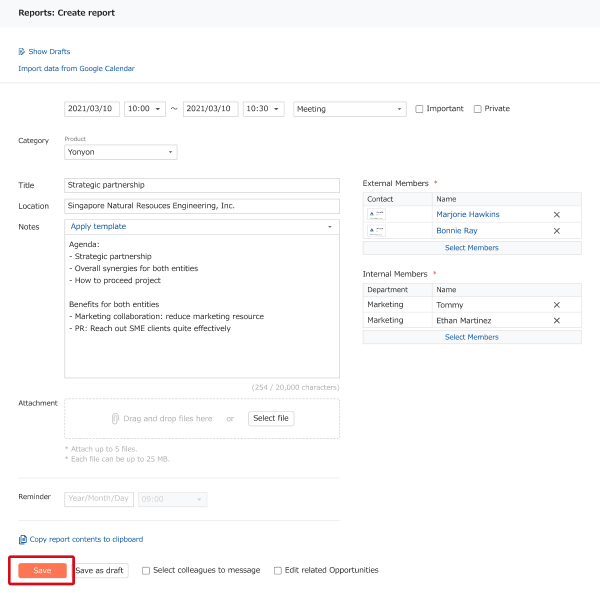
You can create a new report that retains the contents of an existing report by copying it.
The specifics and steps are explained here.
Specifications
Report fields are divided into those that are copied and those that aren't.
Copied fields
- Title
- Start date, time
- End date, time
- Type
- Category
- Location
- External members*
- Internal members*
- Notes
- Important
- Private
* If they can't be accessed because they were deleted, etc. they will not be copied.
Not copied fields
- Attachment
- Reminder
- Like
- Message
Procedure
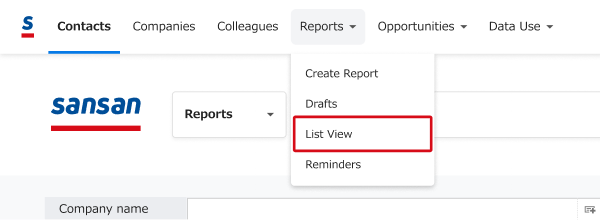
1. Click "Reports" > "List View".
2. For "By report", click "Create from copy" for the report you want to copy.
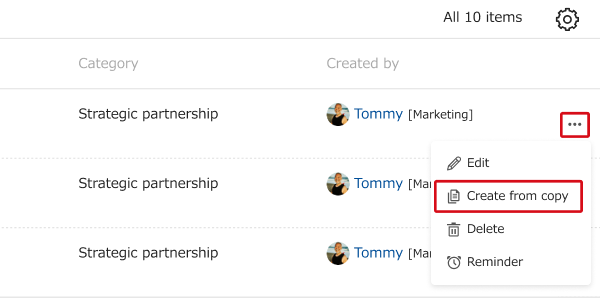
For "As list", click the three-dot menu for the report you want to copy, then click "Create from copy".
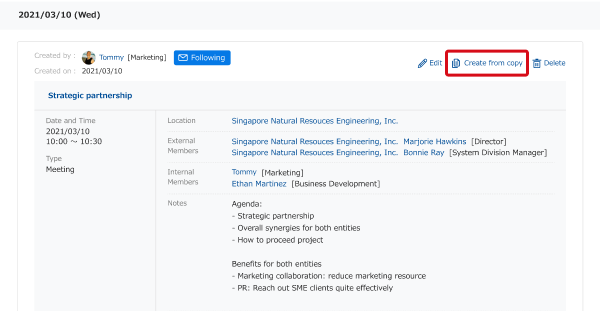
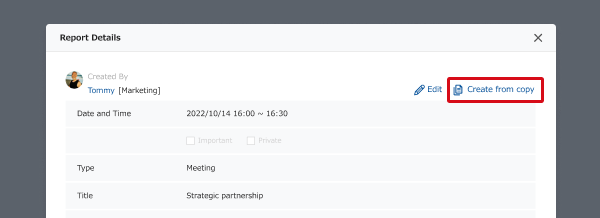
You can also copy a report from the report details page by clicking "Create from copy".
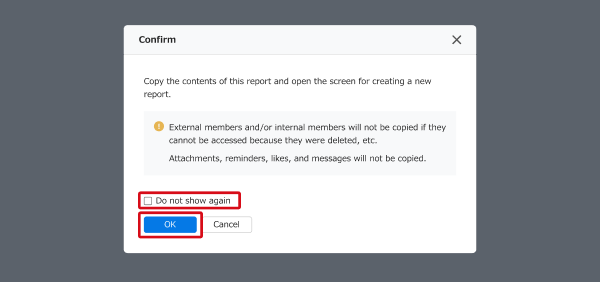
3. Click "OK". If you check "Do not show again", this confirmation will be skipped from the next time.
4. The page for creating a new report opens with the contents of the copied report. Edit as needed, then save.