Sansan sends an email notification to the user when a login occurs from a new device.
The system admin must take appropriate action to protect the account when the user determines a third party logged in.
This page explains what to do.
Conditions
Use of this feature requires system administrator privileges.
Overview
Sansan sends an email like the one below to the user's login email and secondary email when a login occurs from a device not normally used.
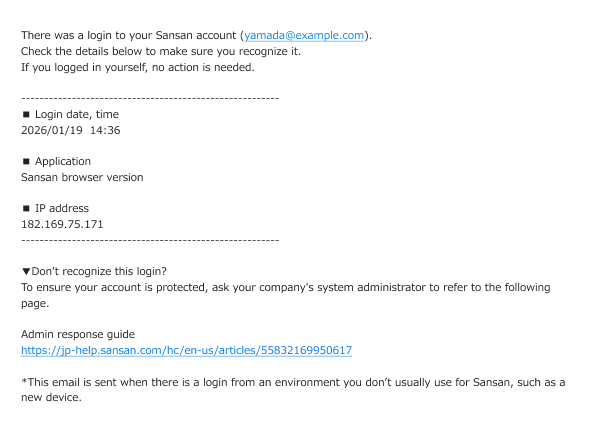
The user should check the email and contact the system admin if the user determines a third party logged in.
Forward the email above as needed and ask about usage as needed.
Recommended action
Reset the password and deactivate the account to prevent unauthorized access.
Resetting the password
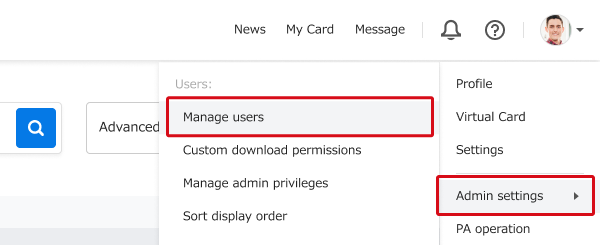
1. Go to Admin settings → Manage users.
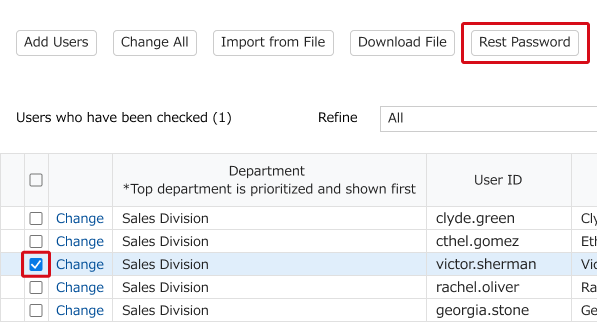
2. Check the box next to the relevant user and then click the "Reset Password" button.
3. A password reset email will be sent to the user. Ask the user to reset their password using the link in the email.
Deactivating the account
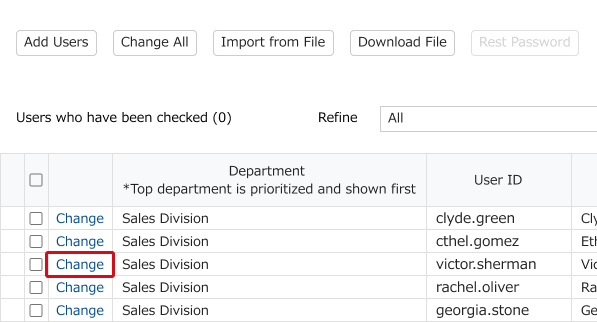
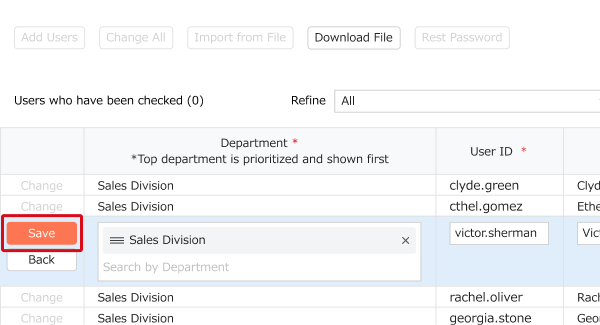
1. Deactivating the account will prevent third parties currently logged in from continuing to use it. On the "Manage Users" page shown above, click the "Change" button for the target user.
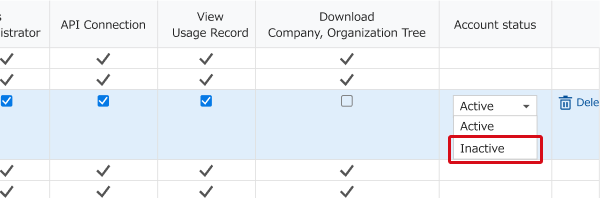
2. Click "Inactive" from the "Account status" pulldown menu for the user.
3. Click "Save" to deactivate the account.
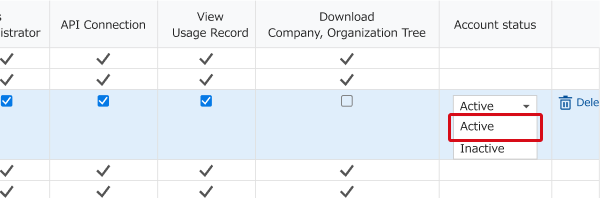
4. After a period of deactivation, follow the same steps to reactivate the account.
Using usage log for impact assessment
We recommend using the usage log, if it's available, to verify that no data breaches or similar incidents occurred as a result of unauthorized third-party login.
See "What the Usage log is" for more details.
*Usage log may not be available depending on the subscription plan.
Strengthening security
Please consider implementing two-factor authentication (2FA) to strengthen your security.
Enabling 2FA makes it required to enter an authentication code in addition to the ID and password when logging in.
This helps prevent unauthorized third-party access if a password is leaked or stolen.
Admins can also make 2FA mandatory for all users.
Related information
・Log in using two-factor authentication (via an authenticator app)
・Log in using two-factor authentication (via email)
・Making two-factor authentication mandatory (security settings)